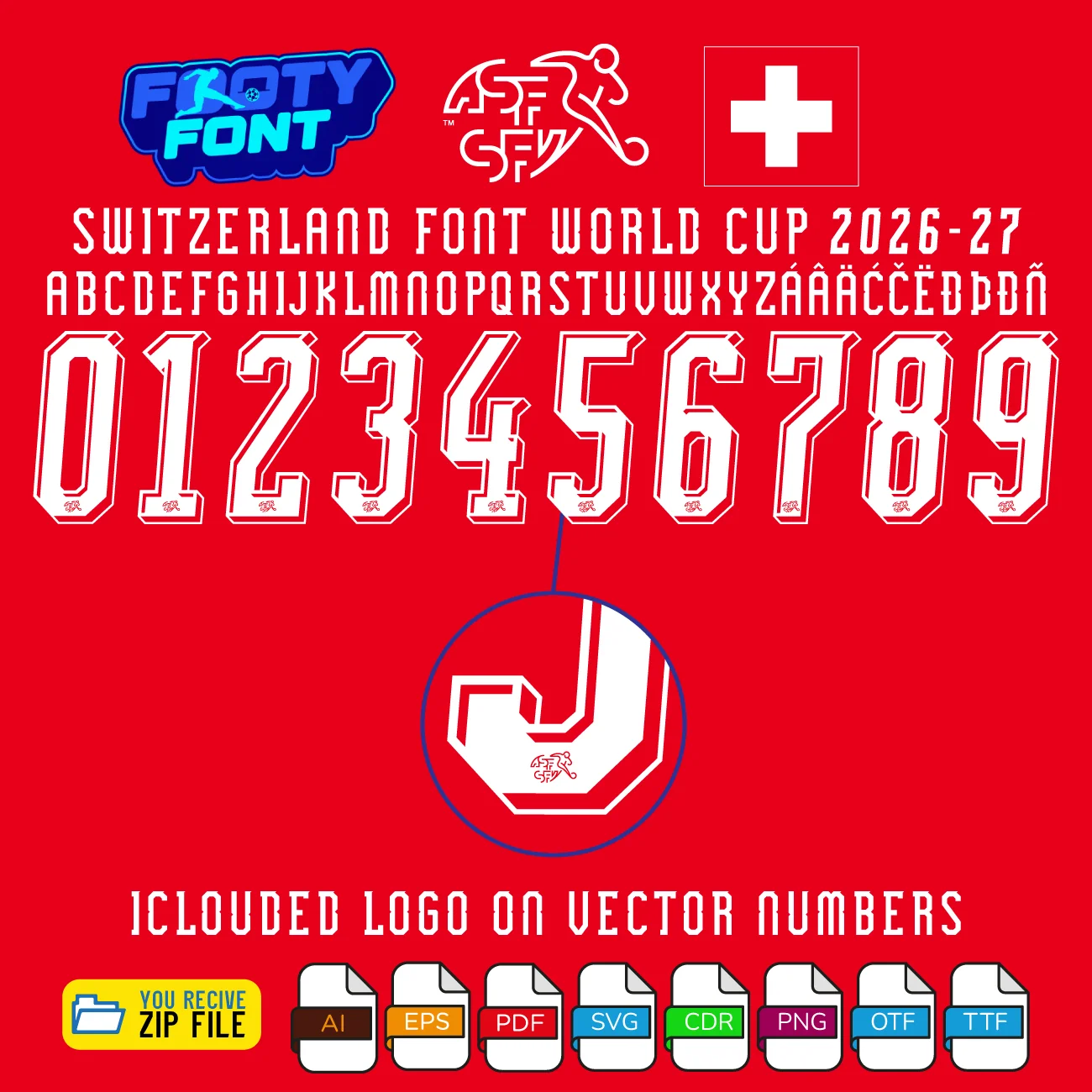
Download Switzerland Font World Cup 2026 is a premium typeface inspired by the 2026 home kit by Puma. Includes OTF, TTF, and full vector files (AI, EPS, PDF, CDR, SVG) plus separated number PNG/SVG/PDF for custom jerseys, posters, and fan art.
Show the precision and pride of the Nati with the Switzerland Font World Cup 2026 (Home Kit). This high‑quality typeface recreates the clean, modern look of the classic red Puma jersey worn by the Swiss National Team on football’s biggest stage.
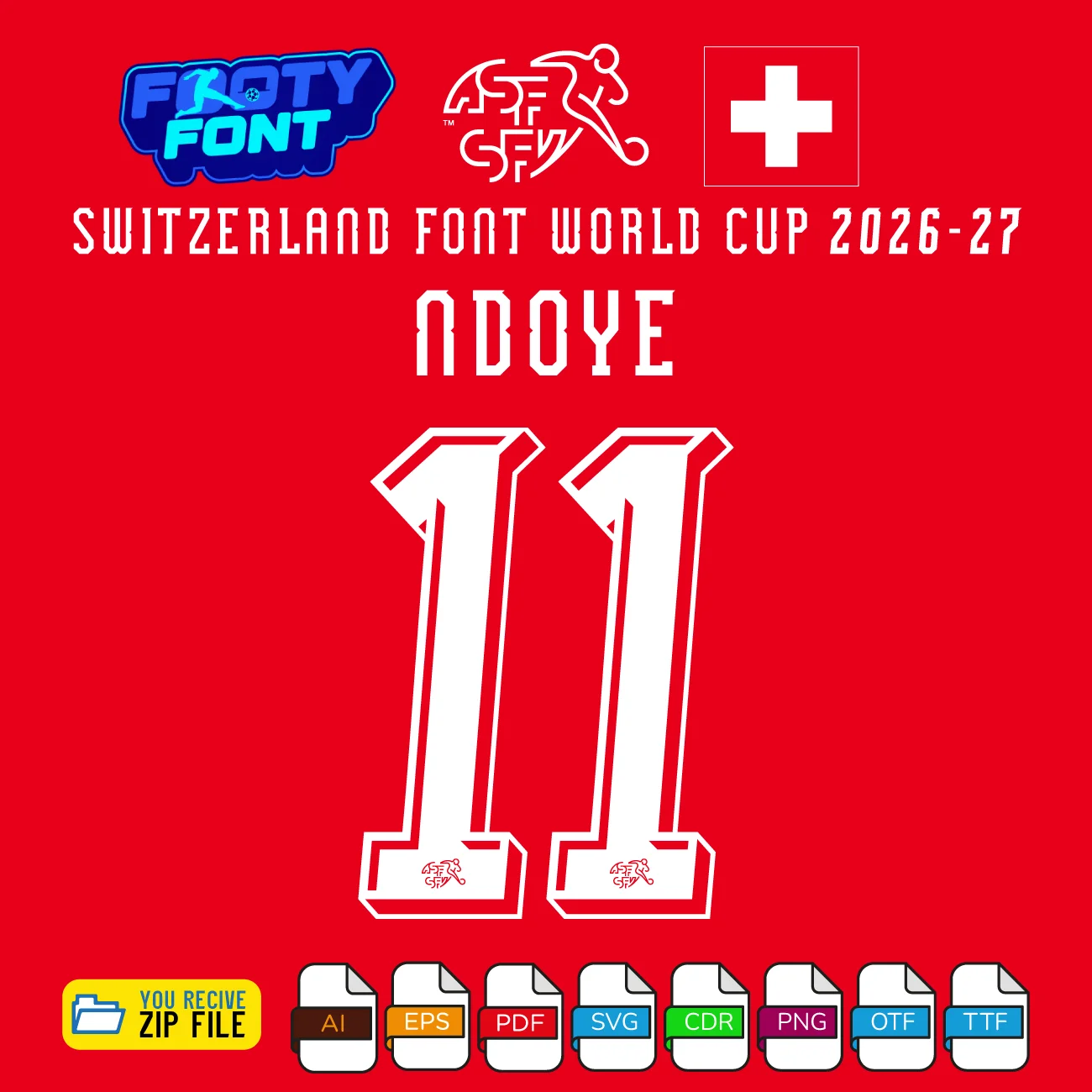
Designed in the style seen on stars like NDOYE 11, Granit Xhaka, Manuel Akanji, and Breel Embolo, this font is perfect for custom jersey names and numbers, digital posters supporting the Rossocrociati, and any creative project that celebrates Switzerland.
A complete look at the Switzerland Font World Cup 2026, featuring the full number set and a real-world match photo of the Swiss national team.
What You’ll Get in This Download
Complete Font Package (Switzerland 2026 Home Kit)
OTF font file
TTF font file
Full Vector Alphabet & Numbers
A–Z letters and 0–9 numbers
AI (Adobe Illustrator)
EPS
PDF
CDR (CorelDRAW)
SVG
Separated Number Files (0–9)
10 PNG files
10 SVG files
10 PDF files
Download is instant, so you can start designing Switzerland Font World Cup 2026 projects immediately.
Compatible Software and Tools
The Switzerland Font World Cup 2026 kit works smoothly with:
Adobe Illustrator & Photoshop
CorelDRAW
Affinity.studio
Cricut & Silhouette (SVG/CDR)
Most other vector and design apps
Whether you are a beginner or a professional, you can quickly apply this Switzerland Font World Cup 2026 to jerseys, banners, and social media graphics.
Important Fan Notice
This Switzerland Font World Cup 2026 (Home Kit) is a fan‑made, independent design. It is not officially affiliated with the Swiss Football Association (SFV/ASF), Puma, FIFA, the World Cup, or any official kit manufacturer.
Use this font to bring authentic Nati style into your customs-jersey graphics, fan merchandise, posters, and digital content—then finish your listing with a strong call to action such as: Click “Add to Cart” now and start creating your Switzerland World Cup 2026 designs today.
This guide provides simple, step-by-step instructions to help you start your creative project immediately.
Step 1: Unzip Your Download
Your font kit comes in a compressed .zip folder. Before you can install or use the files, you must first extract them.
On Windows: Right-click the .zip file and select “Extract All…”
On macOS: Double-click the .zip file, and it will automatically extract its contents into a new folder.
Step 2: Install the Font
Once the folder is unzipped, you can install the font files on your computer.
For Windows:
Right-click the .TTF or .OTF file.
Select “Install” or “Install for all users.”
A pop-up will confirm the installation is complete.
For macOS:
Double-click the .TTF or .OTF file.
This will open a new window in the Font Book application.
Click the “Install Font” button.
Step 3: Using the Font in Your Software
After installation, your new font will be available in any compatible program.
Important: If you have a program like Photoshop, Illustrator, or Figma open, you may need to restart it to see the newly installed font in your list.
The font will appear under the name “Team Kit Font” (or a similar name based on the product) in your font selection menu.
Important Note on File Types
Your purchase includes multiple file types to ensure maximum flexibility for your projects.
TTF/OTF: These are the primary font files you will install. They are perfect for typing out names and numbers in all design and word processing software.
Vector Files (AI, EPS, SVG, DXF): These are not fonts to be installed. Instead, they are individual graphic files of each letter and number. They are ideal for high-quality printing, vinyl cutting, and for use in professional design software like Adobe Illustrator.
Reviews
There are no reviews yet.
Only logged in customers who have purchased this product may leave a review.
Size Chart
How to Buy and Download
Choose the font you want to buy.
Click “Buy Now” to proceed directly.
You will be redirected to the Checkout Page.
Fill in your details or log in to your existing account.
Review your order items before continuing to payment.
Choose PayPal as the payment option.
👉 You can pay with a PayPal account or directly with a debit/credit card.
Once your payment is successful, the Download Page will appear.






Reviews
There are no reviews yet.